There's a moment in most automation conversations when someone says, "Can't we just automate it?" Sometimes the answer is yes. Often the honest answer is: not yet.
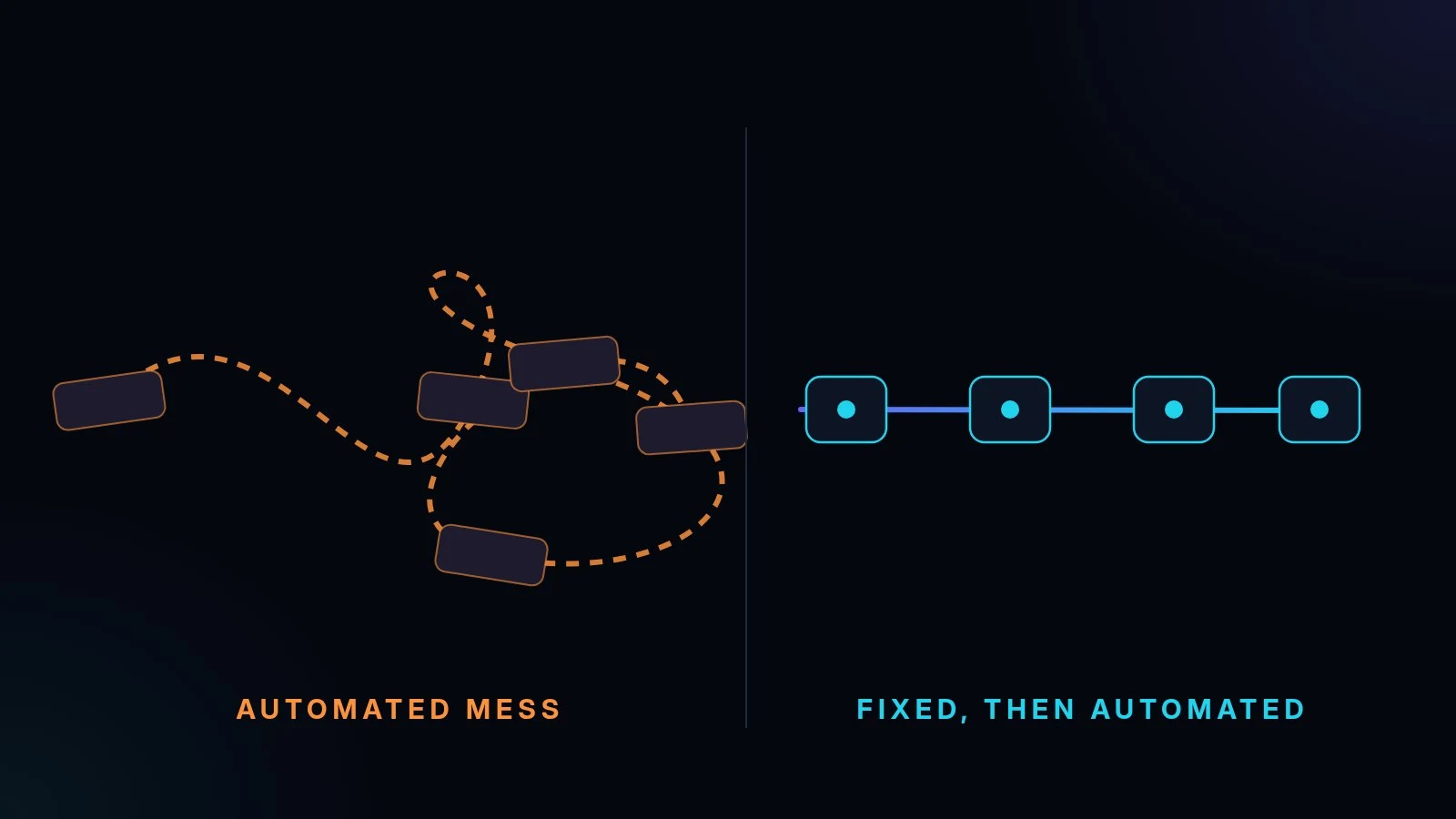
Automation is a multiplier. It takes whatever a process does and does it faster, more often and with less human attention. If the process is clear, that's a gift. If it's messy, you get the mess at speed, with fewer people watching.
Automating a broken process makes it break faster
Picture a typical enquiry-to-quote process in a small business. An enquiry arrives by WhatsApp, email or phone. Someone copies the details into a spreadsheet. Someone else writes a quote from scratch. It's emailed across. The follow-up depends on someone remembering.
Now imagine automating that exactly as it runs today. If nobody agrees which price list is current, the system sends quotes from the wrong one, every time. If the approval step depends on who happens to be in the office, the automation either skips it or waits for it forever. The problems were always there. Automation just removes the human who was quietly patching them.
Automation doesn't fix a process. It repeats it.
A simple test before you touch any tool
Take one process and ask four questions:
- Is it clear? Could two people on your team describe the steps the same way?
- Is it repeated? Does it happen every week, or at least often enough to matter?
- Is it rule-based? Are the decisions mostly "if this, then that", or do they need judgement each time?
- Is it costly when it goes wrong? Do mistakes cost money, time or a customer's trust?
The answers sort most processes into one of three boxes.
Box 1: Fix it first
If the steps change depending on who does the work, if nobody agrees what "done" looks like, or if there's a lot of rework, fix the process before you automate anything.
Fixing usually means agreeing the steps, removing the ones that don't add anything, deciding who approves what, and putting the reference information (price lists, templates, contact details) in one place everyone uses.
This is often the most valuable work, and it costs nothing in software.
Box 2: Automate it
If the process is clear, repeated every week and mostly follows rules, it's a strong candidate. Back to the enquiry example, once the process is agreed:
- The enquiry arrives and its details are captured automatically.
- A quote is drafted from the current price list.
- A person checks it and sends it, or it's sent for them within agreed limits.
- The follow-up is scheduled, so it doesn't depend on anyone's memory.
The work that's left for people is the part that needs them: judgement, relationships and exceptions.
Box 3: Leave it alone
Some processes happen a few times a year, are quick to do by hand and are cheap when they go wrong. Automating them can cost more to build and maintain than it will ever save. It's fine to leave them alone. Not everything needs a system.
The boxes aren't permanent, either. A process you fix this month may be ready to automate next quarter, and a process that grows from a few times a year to every week may move out of Box 3. It's worth re-sorting your list every few months.
Map it on one page first
Before any tool is chosen, put the process on a single page:
- Write each step as a short line: who does it, what they do, and what they need.
- Mark the decisions, the places where someone has to choose.
- Circle the hand-offs, where work moves from one person or system to another. That's where things get lost.
- Note where the information comes from at each step.
If you can't fit the process on one page, or the team can't agree on the page, you've learned it belongs in Box 1.
"You stay in control" should mean something
Good automation doesn't take people out of the loop on the decisions that matter. When you design it, decide up front:
- Review points. Which outputs a person checks before they go out, such as quotes above a certain value or anything sent to a new client.
- Approvals. Who signs off, and what happens when they're away.
- Exceptions. What the system does when something doesn't fit the rules. It should hand over to a person, not guess.
- Visibility. Where you can see what ran, what failed and what's waiting.
That's the difference between a system that runs steps for you and one you're nervous to switch on.
Your fix-or-automate checklist
- Choose one process that takes real hours each week.
- Map it on one page with the people who do it.
- Answer the four questions: clear, repeated, rule-based, costly when wrong.
- Put it in a box: fix it first, automate it, or leave it alone.
- If it's "fix it first", agree the steps and one source of reference information.
- If it's "automate it", decide the review points and who approves.
- Start with one process and get it working before adding the next.
Where does your team lose hours each week?
That's usually the best place to start the conversation. If you'd like a second pair of eyes on a process, get in touch.
To see what a system built around a process can look like, have a look at CyraForce, a demo field-workforce system we designed and built. Every name and figure in it is fictional sample data.